
Comparisons
Gym Management Software vs Excel: Which Is Better for Your Gym?
Excel can run a small gym for a while. Here is when spreadsheets still work — and when dedicated gym management software becomes the better choice.
Using Excel for small gyms
Excel (or Google Sheets) is a natural starting point. You can list members, note package end dates, and keep a simple payment column without buying software. For a brand-new gym with a handful of members and one person managing everything, a well-kept sheet can be enough.
The problem is not Excel itself. The problem is what happens when membership grows, staff increases, and the same file becomes the only source of truth for attendance, dues, and renewals.
Limitations as membership grows
Spreadsheets do not enforce process. Anyone can overwrite a cell, duplicate a member, or forget to update a renewal. Version confusion appears when files are shared on USB drives, WhatsApp, or multiple laptops.
Search and filtering also get slower and riskier. Finding who is overdue among hundreds of rows is possible — but easy to get wrong when you are busy at the front desk.
Attendance tracking
Excel can store attendance if someone types it in. It rarely supports real-time “who is in the gym now” visibility, and it does not help staff check a member in quickly during peak hours.
Dedicated gym attendance tools are designed for that moment at the door. That difference matters once footfall increases.
Membership expiry
Conditional formatting and reminder columns help, but only if someone maintains them. Gym membership management software typically makes expiry and renewal status a first-class field, so the list of due members is available without rebuilding filters every week.
Payment tracking
A payment column in Excel shows a number. It does not reliably produce receipts, payment history per member, or a clean view of pending versus collected amounts for the month.
Gym billing workflows in dedicated software are built around collections, dues, and history — which is closer to how owners actually follow up on fees.
Staff access
When you share an Excel file, everyone usually gets the whole workbook. Role-based access in gym software lets owners control what front-desk staff and managers can see or change.
That becomes important as soon as more than one person handles money or member records.
Reporting
Excel can chart anything if you build it. Most gym owners do not have time to maintain pivot tables for monthly collections, active members, and attendance trends.
A gym management system that already stores the right events can produce operational reports with less manual assembly.
Member communication and mobile apps
Spreadsheets do not give members a mobile experience. Dues reminders, workout tracking, and self-serve visibility usually happen through chats or verbal follow-ups.
If member engagement and fewer desk interruptions matter, a member app attached to your gym management platform is difficult to recreate with Excel alone.
When Excel may still be sufficient
Stay on Excel if your gym is very small, one trusted person owns the data, renewals are rare enough to track manually, and you are not losing money or members because of record mistakes.
Also stay on Excel temporarily while you evaluate software — but keep the sheet clean so migration is easier later.
When dedicated gym software makes sense
Move to gym management software when you notice repeated issues: missed renewals, unclear dues, attendance that nobody trusts, staff confusion, or evenings spent rebuilding reports.
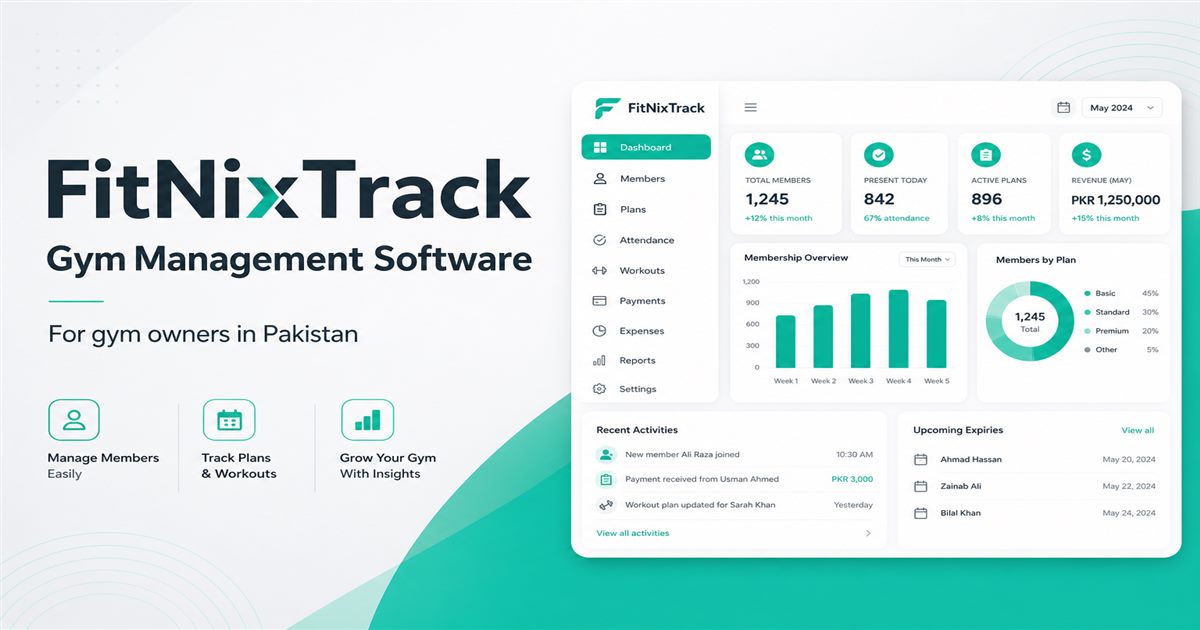
FitNixTrack is one option for gyms in Pakistan that want an owner portal for members, attendance, payments, trainers, and reports — with a member and trainer mobile app. Compare it with your spreadsheet workflow on the features and pricing pages, or request a demo with your real gym scenarios.